

Core Drag&Drop — INCENTEA
Certified extension for Microsoft Dynamics 365 Business Central.
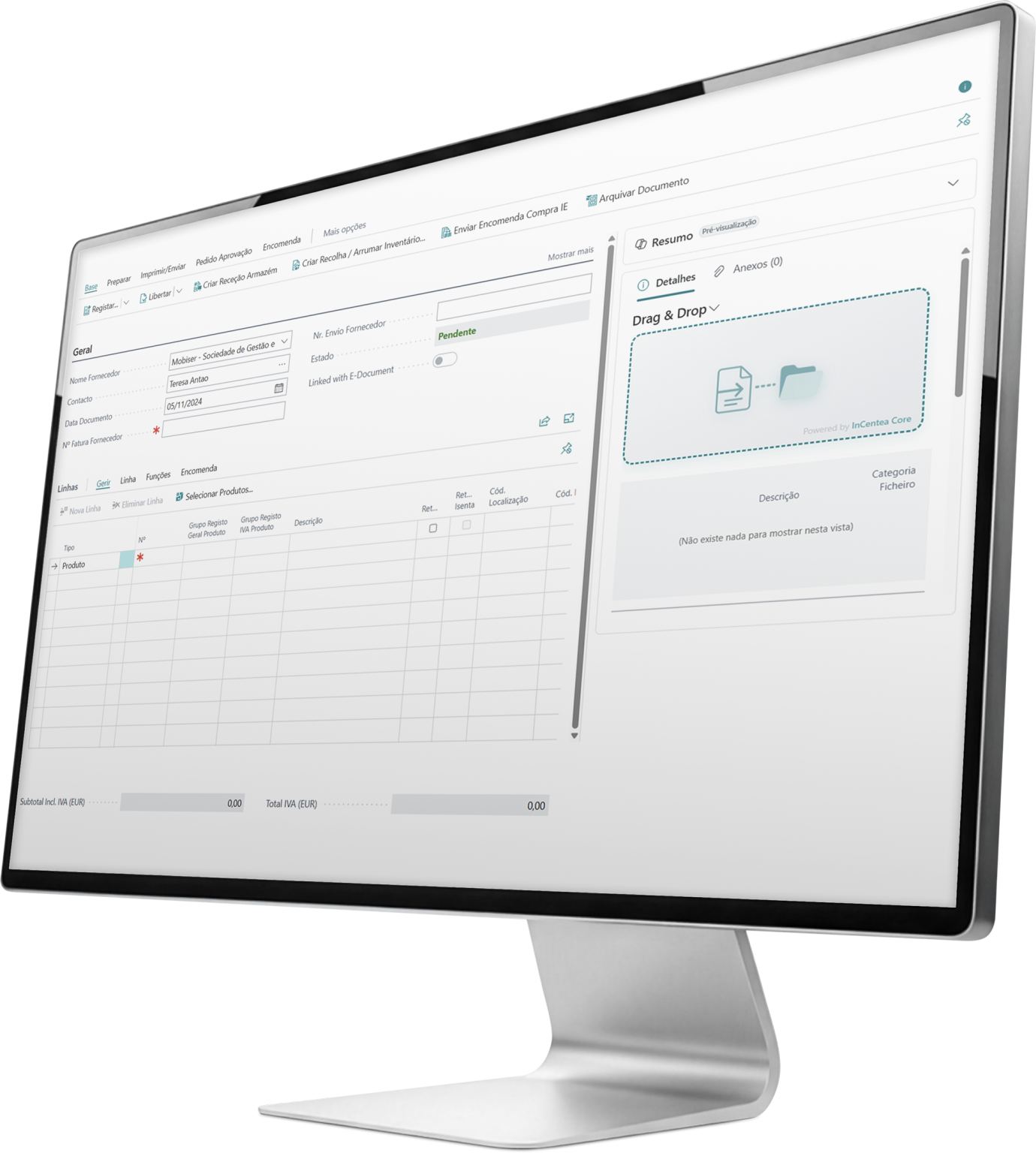
Put an end to lost attachments in Business Central.
Core Drag&Drop transforms the way your organization files documents. Drag, categorize, and organize — files are stored in SharePoint, classified and named according to business rules, and accessible directly from BC records.
Cloud-ready · BC 26+
Native SharePoint integration
Automatic categorization and naming
The problem Core Drag&Drop solves.
Business Central was not designed to be a document repository. Storing files as native attachments consumes paid database storage, doesn’t allow folder organization, lacks version control, and forces users to leave the document context to find what they need.
Organizations accumulate PDFs, images, and spreadsheets scattered across emails, network folders and sharing platforms with no link to the BC record they belong to. Core Drag&Drop solves all of this with a single extension.
Save on Business Central storage.
Native Business Central storage is billed per GB of database usage.
Every invoice PDF, receipt, or image saved as an attachment increases that cost.
Files are sent directly to SharePoint without touching the BC database.
BC stores only metadata and links, with negligible size.
Organizations with high document volumes can migrate their existing archive, freeing database space and reducing storage costs immediately.
The larger the document volume, the greater the savings. Core Drag&Drop quickly pays for itself.
SharePoint as a true document archive.
Unlike native attachments, SharePoint provides a complete document ecosystem. Core Drag&Drop leverages these capabilities directly from BC:
Version management
SharePoint keeps a full version history for each file. If an invoice is corrected, the previous version remains available — without duplicating BC records.
Access and co-authoring
Teams can access documents through BC and also via SharePoint, Teams or browser, using standard Microsoft 365 permissions.
Search and indexing
SharePoint indexes file contents. A user can find a document by text inside the PDF, regardless of the file name.
Compliance and retention
Microsoft 365 retention and compliance policies apply automatically. No extra configuration needed.
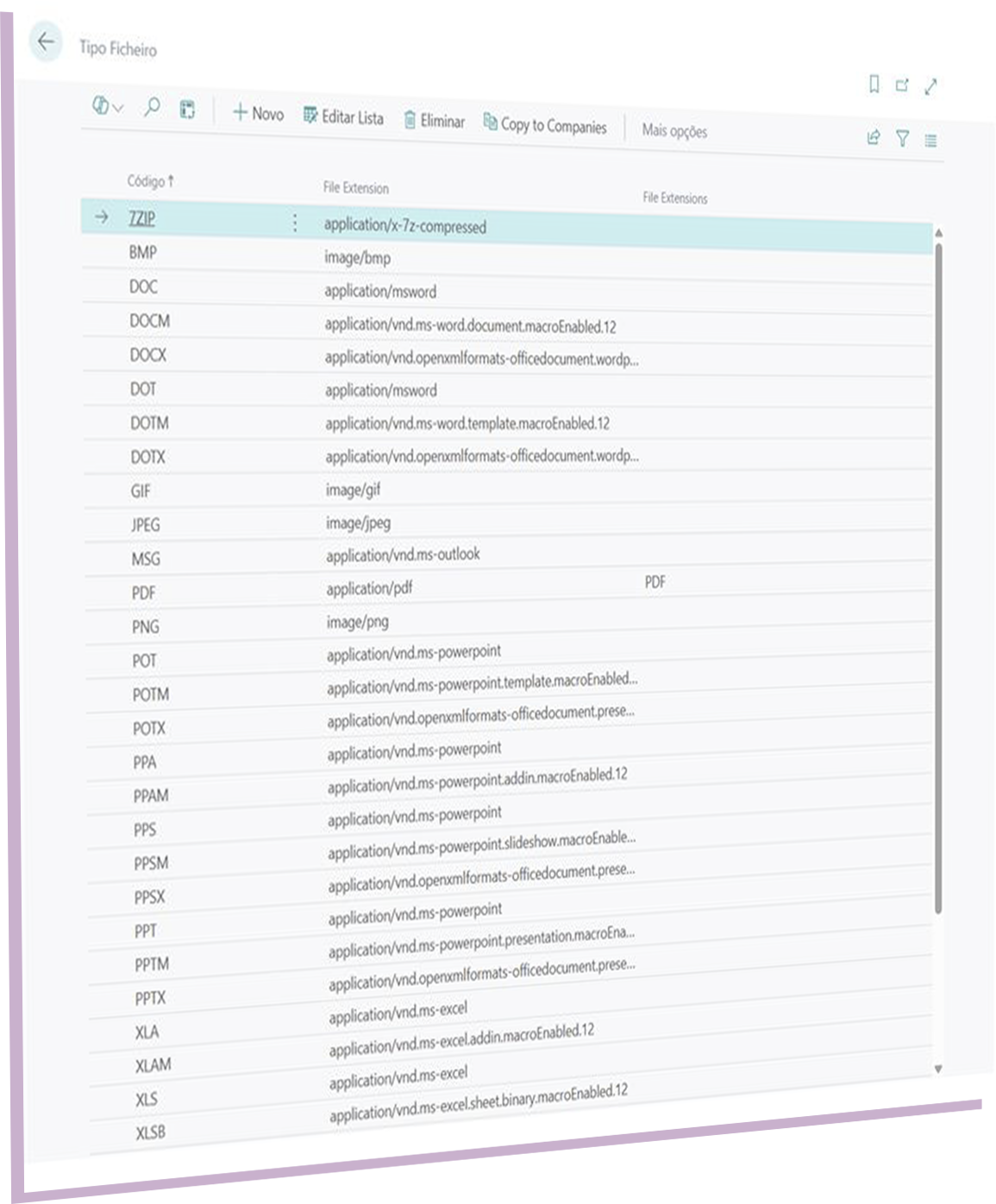
File categorization.
Not all documents are the same.
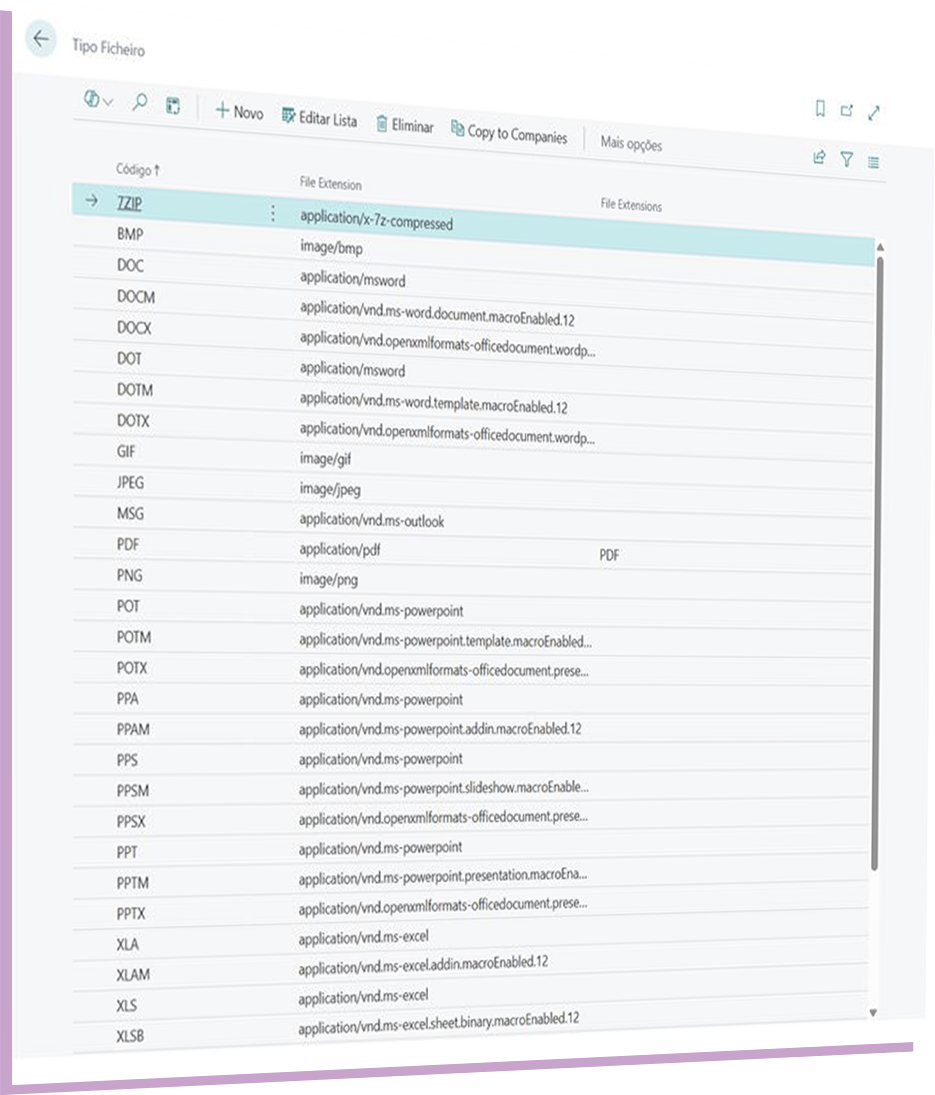
Core Drag&Drop lets you define types and categories for each uploaded file:
Create configurable formats (e.g., Invoice, Delivery Note, Contract, Receipt, Technical specification).
Assign allowed extensions to each format the system validates and blocks unauthorized types.
Assign a category to each attachment to filter and segment the archive.
FactBoxes display documents filtered by type and category, in the context of the BC record being viewed.
Navigate search finds documents by type, category, or associated record.
Automatic SharePoint folder organization.
Forget manually created folders and inconsistent structures.
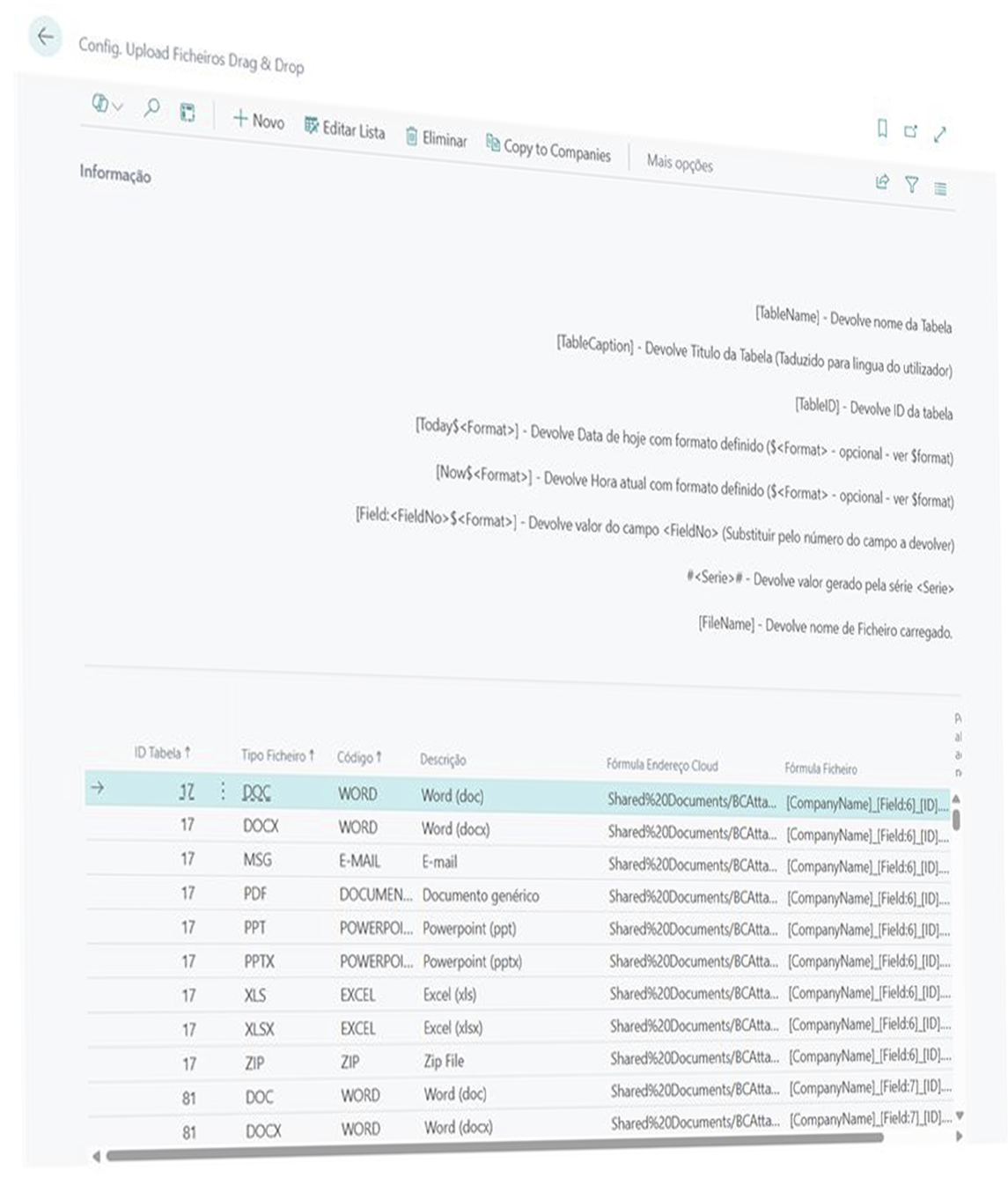
Core Drag&Drop uses formulas to automatically build the folder hierarchy based on BC record data.
Configurable examples for SharePoint folder path formulas: The system automatically creates the folder structure if it doesn’t exist — error-free and without manual intervention.
Automatic file naming.
An archive is only useful if files have consistent names. Core Drag&Drop applies naming formulas at upload time, ensuring organization-wide uniformity.
Invalid characters are automatically replaced — SharePoint naming errors never occur.
Full feature set.
- Archiving & access;
- Drag & drop on all relevant BC pages (invoices, orders, purchases, projects, ledgers, warehouse, and more);
- Document FactBox with real-time count and direct access;
- Integration with Navigate to find all documents linked to a record;
- Organization;
- Path and naming formulas per BC table and document type;
- Automatic SharePoint folder structure creation;
- Configurable file types and categories with extension validation;
- Option for manual path and filename override based on rule sets;
- Reliability.
- Full audit log: every link insertion and deletion is recorded with user, date and context;
- Central Document Registry with unique identifier per file;
- Compatible with Microsoft 365 — Teams, SharePoint Online, OneDrive for Business;
- Duplicate prevention by URL and GUID;
- Maintenance tools: statistics, orphan cleanup, consolidated views;
- Microsoft integration;
- OAuth2 authentication with Azure AD;
- Microsoft Graph API for SharePoint files and metadata;
- File version support through native SharePoint;
How it works in three simple steps.
Configure once
The admin defines rules per document type: allowed extensions, folder formula, filename formula, whether manual overrides are allowed. After this, behavior is automated for all users.
Use whenever needed
The user opens the invoice or order, drags the file into the drop zone or uses the available actions. The file uploads to SharePoint, in the correct folder, with the correct name, linked to the record. The FactBox updates instantly.
Effortless management
The maintenance panel shows totals, identifies orphan references, and allows cleanup. The audit log records everything. SharePoint keeps every version history. Nothing gets lost.
Who is Core Drag&Drop for?
Finance & Operations Directors
Immediate reduction of BC storage costs. Organized, auditable document archive integrated with processes
Accounting & Purchasing Teams
Attach supplier invoices, payment receipts, or delivery notes in seconds, without leaving the document.
Project Managers & Team Leaders
All technical documentation, contracts, and communications organized per project accessible from the BC project card and SharePoint.
Administrators & Business Partners
Flexible BC configuration per table and document type. Architecture based on published integration events easy to extend and embed in vertical solutions
Ready to free up BC storage and organize your document archive once and for all?
INCENTEA supports the implementation of Core Drag&Drop with tailored configuration, migration of existing attachments, and specialized Business Central support.